Skip to content

RDCopilot CRM · Sales pipeline

Your pipeline, with a next step on every card. And someone who owns it.

Contacts, deals, follow-ups and proposals in one shared pipeline. Won deals hand over to RDCopilot ERP as an order draft.

Contacts, deals, follow-ups and proposals in one shared pipeline, set up around the way your team sells. Won deals hand over to RDCopilot ERP as an order draft, with fields mapped and tested during setup.

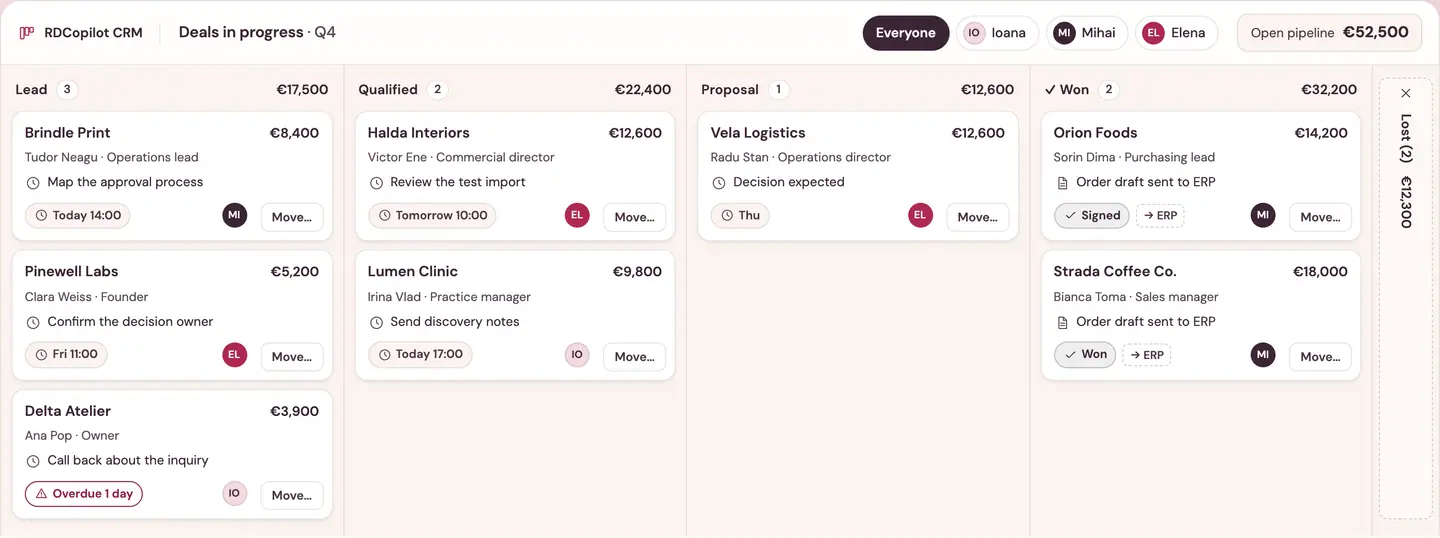
Example data · drag a card, use Move…, or focus it and press Space

RDCopilot CRM

Deals in progress · Q4

Open pipeline €70,500

Lead1 / 5

Lead

3 €17,500

Qualified

2 €22,400

Proposal

2 €30,600

Won

1 €14,200

Lost

2 €12,300

  • Hosted in the EU
  • Support in English and Romanian
  • Your stages and fields, configured before launch
  • Connects to RDCopilot ERP
  • One-off setup + monthly licence

What your team works in

One place for the person, the deal and what happens next.

Seven parts of the CRM your team will use every day. We configure each one around your stages, fields and roles before anyone logs in.

Contacts and companies

Each person sits under their company, with role, source and every opportunity you have had with them.

Example: Strada Coffee Co., hospitality, Cluj-Napoca, with contacts Bianca Toma and Paul Rus, source website form, three opportunities of which one is open; latest activity: a 25-minute call yesterday and proposal v2 attached on 6 October.
Pipeline and stages

Your stages and qualification criteria. Required fields per stage stop a deal moving on without the details it needs.

Example: stage totals Lead €17,500, Qualified €22,400, Proposal €30,600, Won €14,200. Criteria to enter Qualified: budget confirmed, decision owner known, timing agreed (still open).

Follow-ups and tasks

One next action per deal, with an owner and a due date. Overdue items surface first.

Example task list for today: call Delta Atelier, overdue, Ioana; map approval process at 14:00, Mihai; discuss proposal v2 at 16:30, Mihai.

Proposal documents

Attach each proposal file to the deal with its date and status, so nobody negotiates from an old version.

Example: proposal file v2 sent on 6 October, with a note that the scope was narrowed to two cafés; file v1 from 22 September revised; decision due Thursday 8 October.

Website inquiries

Form submissions arrive as leads for the right team, with the form fields you choose (such as the page they came from). A duplicate check on email stops the same person from creating a second lead.

Example: a new contact form inquiry from Bianca Toma at Strada Coffee Co. is matched to the existing lead by the duplicate check and assigned to Mihai.

Roles and visibility

Decide who sees which deals: their own, the team’s or all of them, and who can change them.

Example visibility per role
RoleSeesEdits
Sales repOwnOwn
Sales managerAllTeam
FinanceAll–

Example · agreed per project

Reminders and stage checks

Activity reminders, required fields per stage and role-based visibility are standard. Assignment and reminder rules are agreed in discovery and set up through RDCopilot Integrations; your proposal confirms which.

  • Call scheduledPopup or email reminder 30 min before
  • Move to ProposalDecision date required
  • Website inquiryAssign by region · if agreed in discovery
  • Example · first two standard, the third agreed per project

How it works

A Tuesday in the pipeline.

Five moments from an ordinary day, each on a different deal. This is how work moves from the first message to an order your operations team can deliver.

Example data

  1. 08:45Capture

    An inquiry from Delta Atelier arrives through the website form. It lands in the CRM as a lead with the page it came from.

  2. 09:10Assign

    The sales manager assigns the lead to Ioana with a first task: call back today, with a reminder at 11:00. Automatic assignment rules, such as round-robin or by region, are set up through RDCopilot Integrations when your team wants them.

  3. 11:30Qualify

    Elena logs a call with Lumen Clinic. Budget and decision owner are confirmed, so the deal moves to Qualified with the notes attached.

  4. 14:00Propose

    Mihai attaches proposal v2 to the Strada Coffee Co. deal, sends it and sets the decision date. The v1 file stays on the deal.

  5. 16:30Win

    Orion Foods accepts. Mihai marks the deal won and records the reason.

  6. 16:35Hand over

    The won deal becomes an order draft in RDCopilot ERP: customer, agreed lines and delivery notes. Operations accept it or send it back with a correction, and both sides see the status.

    RDCopilot ERP

Automatic rules, the handoff fields, the acceptance step and the recovery path when something fails are agreed with your team, written into your proposal and tested before launch.

One pipeline, every owner

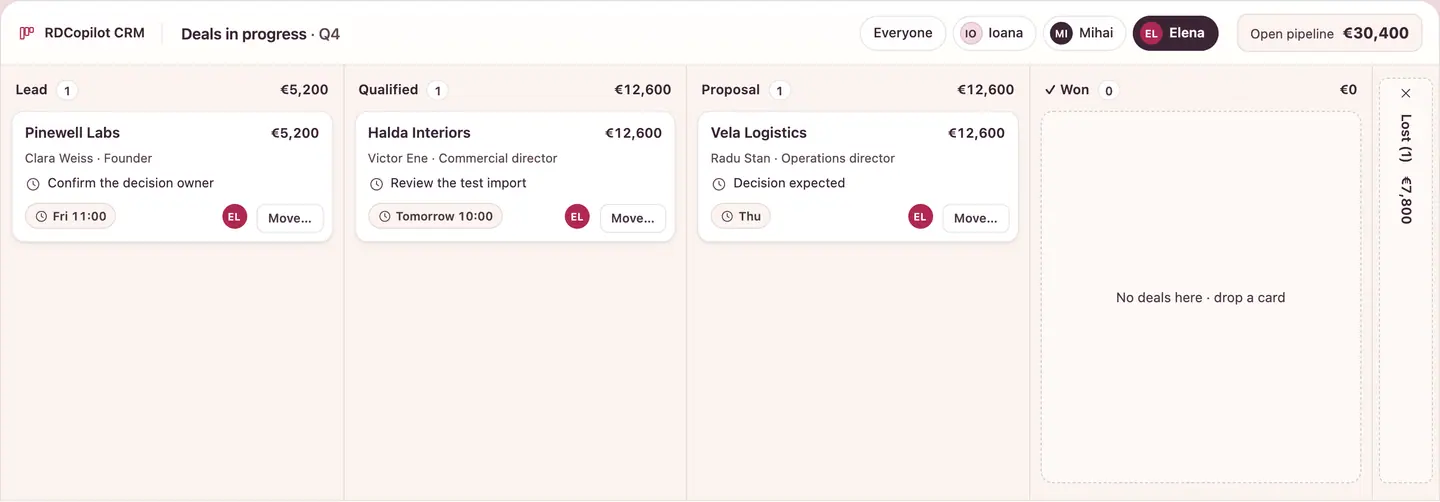
Filter to one person. The total follows.

Every card has an owner and a next step, so a pipeline review is a filter, not a meeting. Pick a name and the open value recalculates for just their deals.

Example RDCopilot CRM pipeline filtered to one owner, with the open total recalculated
CRM · Example data
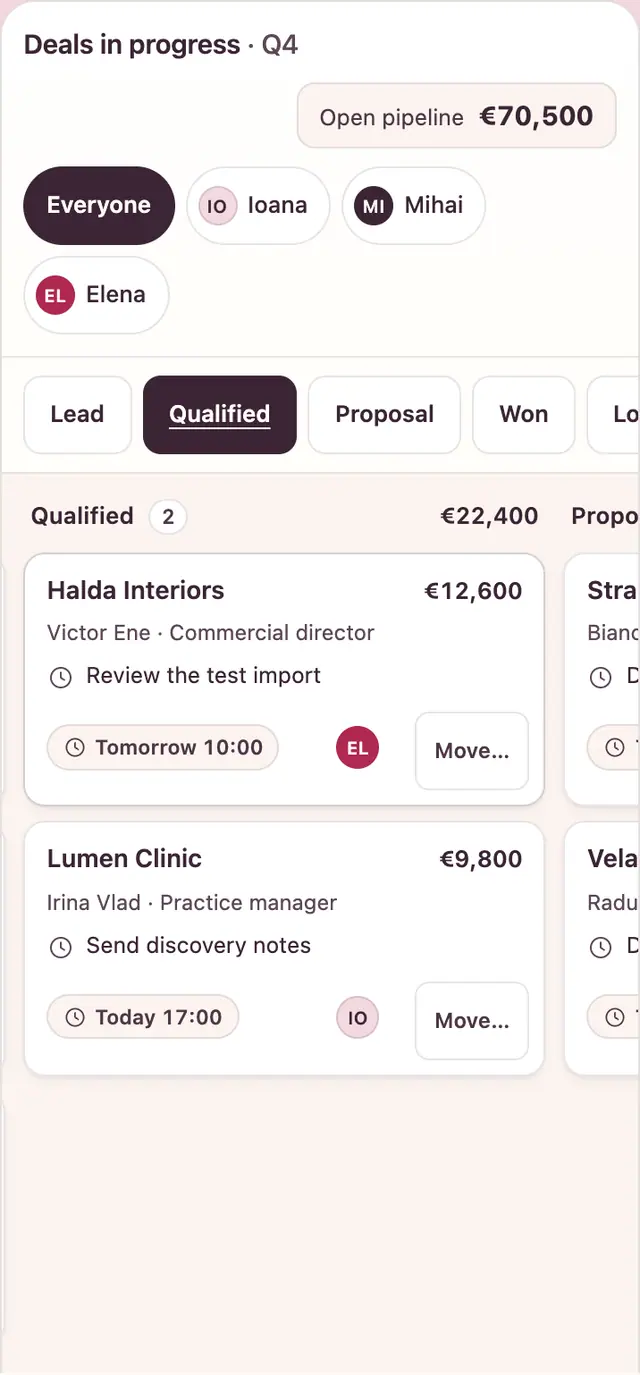
Example RDCopilot CRM pipeline on a phone: stage tabs and swipeable deal columns
CRM · Example data

The record

Pick up exactly where a colleague left off.

Open a deal and see who you are talking to, which proposal file was sent, what was said last and what is due next. Holidays and handovers stop resetting the conversation.

  • Contact, company and role
  • Proposal files and decision date
  • Every call, note and stage change

Example deal record: Strada Coffee Co., stage Proposal, €18,000, owner Mihai. Contact Bianca Toma, sales manager in Cluj-Napoca. Proposal file v2 attached and sent on 6 October with a decision due on Thursday 8 October; file v1 from 22 September was revised. Next step: discuss proposal v2 today at 16:30. Activity: proposal v2 sent today at 14:02; a 25-minute call yesterday narrowed the scope to two cafés; on 2 October Elena noted that finance needs the ERP field list; the lead was created from the website form on 22 September.

Example data

Reports

Read the pipeline in a minute.

An example pipeline dashboard your team could start the week with. Dashboards are set up in discovery; custom reports are quoted at the hourly rate. For revenue and margin next to sales, connect the CRM to RDCopilot Reports.

Example data · Dashboard set up in discovery

Move a card on the board above and these figures follow.

Value by stage · Q4

Lost this quarter: €12,300 · 2 deals

Example pipeline value by stage
StageDealsValue
Lead3€17,500
Qualified2€22,400
Proposal2€30,600
Won1€14,200
Lost2€12,300
1Overdue follow-ups
2Proposals awaiting decision

Implementation

We set it up with you, then stay.

Where the work lives today, and where it lives in RDCopilot CRM
TodayWith the CRMHow we get there
A shared spreadsheet, one tab per salespersonOne pipeline, filtered by ownerVerified import with duplicate rules
Follow-ups in personal calendarsA next step and due date on every dealTasks, reminders and required fields configured per stage
Proposals lost in email threadsProposal files and decision dates on the recordDocument fields and history set up
Won deals retyped into the ERPWon deals sent to ERP as order draftsField mapping and acceptance test
  1. 1

    Discovery

    We map how you sell today: stages, qualification criteria, fields worth keeping, teams, who sees what and which reports you need.

  2. 2

    Data and migration

    We run a test import from your spreadsheet or current CRM, apply duplicate rules and review the result with you before anything goes live.

  3. 3

    Configuration and training

    We set up stages, forms, roles, reminders and the ERP handoff. We test them and train each team on the workflow they will use.

  4. 4

    Launch and support

    We go live on EU hosting with backups and monitoring. Updates and support in English and Romanian are part of the monthly licence.

Every function, connection and service you get is listed in your written proposal.

Pricing

One setup, one monthly licence. No surprises.

You get a written proposal after a short discovery call. It lists what we set up, what the monthly licence covers and the hourly rate for anything extra.

  1. 1

    One-off setup fee

    Paid once, at the start

    • Discovery workshop
    • Stages and qualification criteria
    • Fields and duplicate rules
    • Verified import
    • Website form intake
    • Roles and visibility
    • Activity reminders and required fields
    • ERP handoff mapping (if you use RDCopilot ERP)
    • Training per team
  2. 3

    Extra work, fixed hourly rate

    Estimated before we start

    • New integrations
    • Assignment and reminder rules agreed in discovery
    • Custom reports
    • A pipeline for another team
    • Extra training sessions

What shapes your proposal

  • Number of users
  • Number of pipelines and teams
  • Size and source of the import (spreadsheet, another CRM)
  • Whether the ERP handoff is included
  • Extra integrations, such as calendar sync or other tools
Ask for a proposal

Questions

Before you book a call.

Something else on your mind? Ask us directly and you get an answer from the people who will set up your CRM.

Ask a question →
Where is our CRM data stored?

In EU data centres, on the platform that also hosts RDCopilot ERP. We run daily backups with retention rules, encrypted storage, access logs and monitoring, and we test restores on a schedule.

Can we move from a spreadsheet or another CRM?

Yes. We run a test import first, match records on the fields we agreed with you so duplicates are updated instead of copied, and review the result together. A test import can be undone: every record it created is removed. We back up the data before any import that updates existing records.

Can we keep our own sales stages?

Yes. Stages, qualification criteria, required fields and the meaning of “won” and “lost” are agreed in discovery and configured before launch. If another team sells differently, a separate pipeline can be scoped in your proposal.

How does it connect to RDCopilot ERP?

A won deal creates a quotation or order draft in RDCopilot ERP with the customer and the agreed lines, and operations accept it or return it with a correction. Which fields move and how errors are handled is mapped and tested during setup and written into your proposal.

Does it connect to our email and calendar?

Yes. Each person connects their mailbox, and emails with a client are logged on the matching company, lead or deal automatically. Calendar sync with Google or Microsoft 365 is set up per project through RDCopilot Integrations.

Can the team use it on a phone?

Yes. The CRM works in the browser on any phone or tablet, with the same pipeline, records and tasks. If you need a dedicated app, RDCopilot builds iOS and Android apps, quoted separately.

Who can see which deals?

You decide per role: own deals, the team’s or all, set separately for viewing, editing and deleting.

Which languages does it work in?

English and Romanian. Each person chooses the interface language, and support is available in both.

What exactly do we get?

A CRM hosted for you in the EU and set up around your stages, fields, roles and reminders, connected to our other products where your project needs them, with updates and support in English and Romanian. Your proposal lists every function, connection and service included.

How is personal data handled under GDPR?

We process your CRM data only on your instructions, as your processor under a data processing agreement (GDPR Art. 28) included in your contract. Data is stored in the EU.

What happens to our data if we leave?

It stays yours. Your administrators can export any list to Excel or CSV at any time. When you leave, we hand over a full export of your records and files within 30 days, keep it available for at least another 30 days, and then delete it from our servers, as the EU Data Act and GDPR require.

What does it cost?

A one-off setup fee, then a monthly licence for hosting, updates and support. Extra work is billed at a fixed hourly rate. You receive a written proposal with all three after a discovery call. Prices exclude VAT.

What happens after launch?

We host, update and monitor the CRM and answer support requests in English and Romanian. Changes such as a new pipeline, field or report are estimated at the hourly rate before we start.

From idea to implementation

Guides for your workflow

Bring us your pipeline, even if it’s a spreadsheet.

Tell us how your team sells today and where deals get lost. We’ll come back with a written proposal for setup and licence.

Example RDCopilot CRM pipeline: a deal marked won and an order draft created in RDCopilot ERP